


When an invoice slips past its due date, most firms assume the client is “late.” So you email accounts payable and hope someone pushes it through.
But in B2B services, payment is usually the last step, not the first. Before money moves, someone has to approve the charges, match the invoice to a PO or vendor record, and route it through their system. If any link in that chain breaks, the invoice doesn’t get paid because it never got approved.
If you want fewer overdue invoices and a healthier cash flow, stop treating payment like the problem. Build a process that makes approval easy to miss and hard to complete.
Key takeaways
- Overdue often means unapproved: Most often, the invoice is stuck in the client’s internal workflow rather than sitting in a “pay later” pile.
- Missing details create silent stalls: A PO number, cost center, or vendor ID gap can pause approval without anyone telling you.
- Approval is a workflow problem: Clear roles, clean info, and proof of receipt beat more “checking in” emails.
- Aim for fast approval, not fast payment: Once an invoice is approved in their system, payment usually becomes routine.
Why approval workflows break, even for “good” clients
Even great clients can take 45 days to pay. Not because they don’t respect you, and not because they’re broke. It’s usually because their approval process is messy, slow, or unclear.
A common issue is that nobody is clearly responsible. If an invoice goes to a generic inbox like [email protected], it can sit there until the right person notices it. And if the approver (the person who actually recognizes the work) never sees it, it won't be approved anytime soon.
Another problem is missing or mismatched info. Many clients need specific fields to route an invoice: a PO number, a cost center, a vendor ID, or a project code. If one field is missing, accounts payable might mark it as “incomplete” and move on to the next. You might not hear about it at all.
Then there’s the “scope confusion” problem. If the approver doesn’t recognize the project name, the time period, or what the charges represent, they hesitate. Hesitation turns into delay, and delay turns into “overdue.”
Finally, lots of firms have no clear escalation path. If the invoice gets stuck, nobody wants to own it. It sits in a pending queue until someone complains loudly enough, which is the exact game you’re trying to stop playing.
The 48-hour invoice approval workflow
The point of a 48-hour workflow isn’t to force payment in two days. It’s to get an invoice approved in two days. Approval is the real milestone because once it’s approved in the client’s system, payment is usually scheduled for processing.
This workflow works best when it’s repeatable. You’re not reinventing the wheel every time you bill. You’re using the same steps, with the same expectations, and the same internal owner on your side.
It also keeps your team out of awkward money conversations. You’re not “chasing.” You’re running a clean process: correct invoice, correct routing, confirmed receipt, and a clear checkpoint if it stalls.
And it reduces the number of surprises. Most overdue invoices aren’t random. They’re predictable breakdowns. A predictable breakdown is something you can design around.
The role map
Before you send an invoice, define who’s involved. Not “someone at the client.” Actual names and roles.
Start with the invoice recipient. That might be an AP person or a portal submission owner. Either way, you need to know where it goes and how it gets into their system.
Next is the approver. This is the person who knows the work happened and can say, “Yes, this is right.” If AP is the traffic cop, the approver is the person who confirms you’re even on the road.
Then define the escalation owner. If something gets stuck, who can unblock it? This is usually a manager or director who has the authority to move things along.
Last, assign an internal owner on your side. This shouldn’t be the lead accountant, the lead engineer, or the person doing the client work. It should be someone who can own billing operations and keep the process moving without drama.
Step 0: The pre-flight checklist
Sending an invoice with errors is worse than sending it late. Errors create rework, re-routing, and long delays that nobody wants to admit were caused by a small detail.
Before you hit send, do a quick check on legal and routing basics. Make sure the entity name and address are correct. Match the project name and billing period to what the client expects to see. If they call it “Q1 Monthly Close,” don’t label it “General Services.”
Also, confirm your terms match the signed agreement. If the agreement says Net 15 and your invoice says Net 30, you just created an internal dispute.
And don’t ignore required fields. If they require a PO, cost center, or vendor ID, include it clearly. If they require portal submission, do that first. Treat required fields like a gate, not a suggestion.
A simple rule holds up here: if their process requires it, skipping it is basically the same as not sending the invoice at all.
Step 1: Send to AP and the approver at the same time
Approval moves faster when the “money people” and the “work people” both see the invoice. AP can route it, and the approver can confirm it. When only AP gets it, it can get stuck waiting for someone to recognize it.
Keep your message short and operational. You’re not asking for a favor. You’re delivering a business document that needs approval.
Also include your internal owner on the thread (or at least loop them in). That way, the next step doesn’t rely on someone remembering to check.
If the client uses a portal, submit there, then separately notify the approver that it’s been submitted. Portals can hide invoices from humans. Humans approve invoices.
Step 2: Capture confirmation and proof of receipt
One of the most common reasons you’ll hear for late payment is some version of: “We never got it.”
Sometimes that’s true. Sometimes it’s not. Either way, you can avoid the whole debate by getting proof of receipt early.
If you emailed the invoice, ask for a simple confirmation that it landed in the right place for approval. If they use a portal, save the submission confirmation and any reference number the system gives you.
Proof matters because it gives you something concrete to point to. It turns a fuzzy conversation into a clear one: submitted on X date, received by Y, awaiting approval by Z.
That keeps things professional and reduces back-and-forth.
Step 3: the 24-hour approval checkpoint
At 24 hours, you’re not “following up.” You’re checking whether the process is moving as it should.
This is where many firms go wrong. They either wait too long and let the invoice fade into the background, or they send a “just checking in” note that feels personal. Keep it procedural.
Your goal is to confirm that the invoice is in the approval queue and, if it’s not, ask what’s missing. If the client needs coding, a PO, or backup documentation, you want to know now, not three weeks from now.
This also teaches your clients what “normal” looks like with you. The expectation is that invoices are routed quickly, and you run a clean process.

Step 4: the 48-hour process escalation
If approval isn’t confirmed by 48 hours, escalate to the person you already agreed is the escalation owner.
This isn’t about pressure. It’s about unblocking a stuck workflow. You’re asking for help routing, not demanding payment.
A calm, factual message works best. Include the invoice number, the submission date, and what you’re trying to confirm. Ask what’s needed to move it forward today.
This step is also why the role map matters. Escalation feels awkward when you’re guessing who to involve. It feels normal when it’s the documented process.
The approval packet
Some clients have strict AP rules. They want context, documentation, and proof that the charges match the agreement. If you only send a PDF invoice, you’re leaving the approver to do the detective work.
An “approval packet” makes approval easier by putting the answers right in front of them. Think of it as a clean, simple bundle that helps someone say “yes” without opening five tabs.
It usually includes the invoice, a short summary of what it covers, a reference to the agreement or SOW, and a basic checklist of what was delivered. The goal isn’t to overwhelm them. It’s to remove doubt.
This works especially well when your services are ongoing or when project names change. Approvers are busy. If they don’t instantly recognize the charge, they delay.
Make the invoice self-explanatory, and you’ll see fewer stalls.
Solving the five most common bottlenecks
The fastest way to reduce overdue invoices is to remove the same blockers you keep running into.
The first one is the PO problem. If a client needs a PO, don’t start work until it's received. A “PO gate” feels strict, but it protects both sides. Without it, you can do the work and still get stuck at approval.
Next is coding and cost centers. If the client needs internal coding, capture it during onboarding and reuse it every time. Don’t wait until an invoice gets rejected to learn their rules.
Vendor setup is another big one. If you aren’t set up as a vendor in their system, your invoice can’t move. Treat vendor setup like a milestone that must be done before the first deliverable goes out.
Portals create their own friction. Different file formats, naming conventions, and submission steps can lead to rejections. Keep a simple “how this client wants invoices” note so your team isn’t guessing each month.
Finally, there’s the “I don’t recognize this” issue. If the approver has to dig through emails to remember what you did, approval slows down. Use clear labels, clear dates, and clear descriptions so the invoice stands on its own.
How to operationalize this
If your process only lives in someone’s head, it will break. The goal is to make billing predictable and repeatable, even when your team is busy.
Start by creating a simple client billing profile. It should include the AP contact, the approver, the escalation owner, and your internal owner. It should also note whether they need a PO, whether they use a portal, and any vendor ID or coding rules.
Over time, add notes on what has caused rejections in the past. These patterns repeat. When you document them, you stop paying the same “learning tax” every billing cycle.
Then set clear internal service levels for your team. When an invoice is generated, it gets checked the same day. It gets sent and confirmed the same day. You do a checkpoint after 24 hours. You escalate at 48 hours if approval is still unclear.
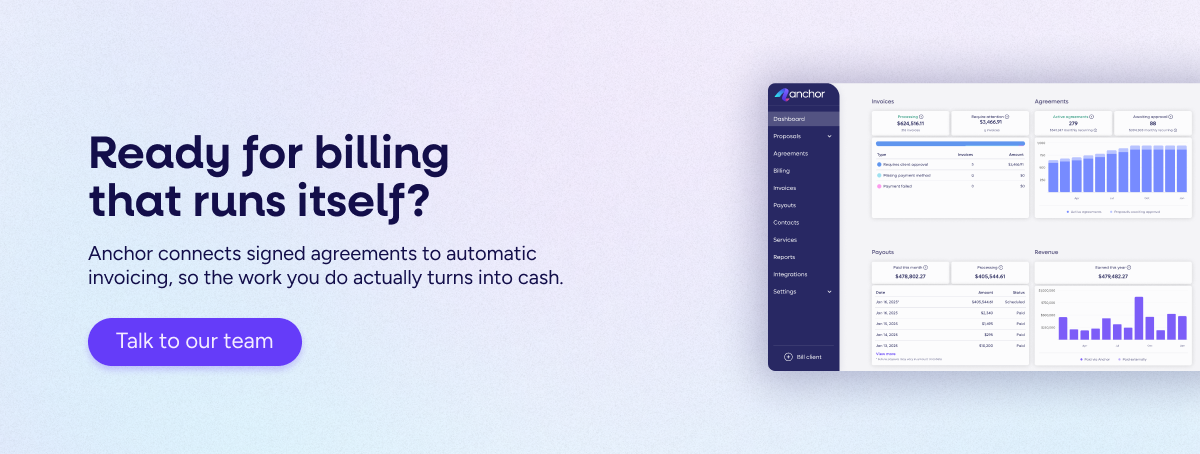
If you want to take it further, a connected billing flow helps. When proposals, agreements, billing schedules, and payments all live in one system, there are fewer handoffs and fewer chances to miss a step. That’s the core idea behind AR Elimination: fewer manual steps between doing the work and getting paid.
The bottom line
If invoices keep going overdue, don’t start with more reminders. Start with approval.
When approval is visible, role-based, and backed by proof, “overdue” becomes less common. Not because you got tougher, but because your process got cleaner.
Want fewer awkward invoice conversations? Fix the workflow that causes them.
Book a 15-minute call with one of our advisors, and see how Anchor helps firms eliminate manual steps between doing the work and getting paid.