


You can run a solid firm and still feel cash flow stress at the end of the month. Not because your clients are unreasonable, but because your billing terms live in scattered places: a half-updated engagement letter, a partner’s memory, an email thread, a spreadsheet, or whatever your team assumes is true.
That gap is where predictability starts slipping. It turns billing into a judgment call, invites one-off exceptions, and pushes money conversations into the least convenient moment.
A terms library fixes that, and it’s a straightforward way to make your agreements easy to execute and your billing hard to derail. Below, we’ll show you how to build one your team will actually use.
Key takeaways
- A terms library beats a “perfect engagement letter”: Standardized terms reduce exceptions, which cuts manual billing work and revenue leakage.
- Consistency is what clients feel, not complexity: Repeatable terms make billing predictable and money conversations calmer.
- Options are fine, but only when they’re controlled: Flexibility should look like a small menu your team can run without extra effort.
- Red flags aren’t moral failures: They’re a prompt to re-scope, reprice, or decline before your process breaks.
Why “setting terms” keeps turning into billing chaos
Billing problems often look like client problems, because that’s where the pain shows up.
A client pays late, forgets an invoice, wants to review every charge, or pushes back on scope. From the firm’s side of the table, that can look like the obstacle is out there. So the default conclusion becomes: “We need better clients,” or “Clients just don’t respect our payment terms.”
But what’s usually happening is simpler. Your terms aren’t consistently set up to run. They’re written, edited, and interpreted differently depending on who sold the work, how rushed the proposal was, and what language got copied from the last engagement.
That inconsistency creates a gray area, and gray areas create room for negotiation. Not at the beginning, when it’s easiest to be clear, but later, when you’re already deep in delivery.
So you end up with “monthly billing” in one agreement, “invoice upon completion” in another, and “Net 30” sprinkled in because it sounds standard. Then your team tries to operationalize all of it across dozens of clients during a busy season that shows no signs of slowing down.
When terms aren’t consistent, problems stack up fast. Billing starts late because there’s no clear trigger. Invoices go out when someone remembers. Exceptions become permanent. And the “we should bill for this” notes pile up until month-end, when everyone’s out of patience.
That’s why it feels like a client problem. Clients follow what you make normal. If terms are vague or inconsistent, payment becomes flexible. If the system is clear and repeatable, most clients go along without drama.
Setting terms isn’t a writing exercise. It’s a systems decision. Your terms either run cleanly, or they create drag.
What a terms library is (and what it isn’t)
A terms library is a firm-approved set of defaults and controlled options you can apply consistently, without reinventing the engagement letter every time. Think of it as your firm’s “standard operating terms,” written so anyone on your team can use them the same way, every time.
It does two jobs at once. It protects your delivery team from constant exceptions and one-off interpretations. And it protects your cash flow from ambiguity that can lead to delayed billing, stalled approvals, and awkward cleanup later.
The point isn’t to eliminate judgment. It’s to stop wasting judgment on the same decisions over and over again. When your defaults are clear, the only time you’re “deciding terms” is when something genuinely deserves a decision.
What a terms library isn’t: a long legal project that takes weeks, gets debated endlessly, and then sits in a folder while everyone keeps doing what they’ve always done. If it only lives as a document, it’s dead on arrival.
Here’s a good rule of thumb: If the library can’t be applied in two minutes while a proposal’s being prepared, it won’t get used. Keep it practical. Keep it operational.
The 3-layer terms library
A terms library’s job is to remove day-to-day decision-making from billing terms. To do that, you need three buckets: what never changes, what can vary in controlled ways, and what should trigger a deliberate pause.
These three layers cover those buckets and provide a framework for building terms that are tailored to your firm’s specific needs.
Layer 1: Non-negotiables
Start with the terms that protect the system. These are the defaults that shouldn’t change based on who sold the work or how busy the week is. If they vary too much, billing becomes an interpretation rather than execution.
Non-negotiables aren’t about being rigid. They’re about protecting the parts of your process that shouldn’t depend on personality, memory, or mood.
These are the terms that make billing predictable:
- Billing trigger: When does invoicing begin? On signature, on kickoff, on a fixed date. Pick a default and stick to it.
- Billing cadence: Monthly, upfront, milestone. Your team shouldn’t be guessing.
- Payment method expectation: For recurring work, requiring a payment method on file isn’t aggressive. It’s professional.
- Processing rule: Decide whether payment processes on the invoice date or the due date, and standardize it.
- Scope change handling: Not the full scope language. The process. What happens when work changes, and who updates the terms?
- Non-payment response: What you’ll do when payment fails, written plainly.
- Renewal and cancellation: A default term length and notice window that fits your services.
- Price updates (optional): Include this only if you’ll actually use it and apply it consistently.
Keep this in mind when setting these up: If changing the term forces your team to manually manage billing, it belongs in the non-negotiables.
Layer 2: Controlled options
Once your defaults are locked, decide where you’re willing to flex. Clients can have choices. Your team can’t run infinite variations, and you don’t want “custom” to become another word for “manual.”
Controlled options are the small menu of choices you’re willing to support operationally. You’re not making flexibility difficult. You’re limiting it because every extra exception later becomes manual work, and manual work is what creates billing drift.
Here are common controlled options that work well:
- ACH vs credit card: Offer both, but keep the language consistent. If you accept card payments, disclose in writing how you handle card fees.
- Upfront vs monthly: Useful for onboarding or discrete projects. Risky when used casually inside a recurring engagement.
- Milestone billing: Great when milestones are clear. A mess when milestones are fuzzy.
- One-time add-ons: A repeatable way to bill extras without inventing a new process each time.
The point isn’t to eliminate flexibility. It’s to keep flexibility from turning into exceptions your ops team pays for.
Layer 3: Red-flag requests
Finally, name the terms that tend to break your process. Red flags aren’t “bad clients.” They’re requests that change the economics or execution of the engagement enough that you need to pause and make a deliberate call.
This is where firms quietly lose money. Someone agrees to an exception because it feels easier than a conversation, and now the team’s carrying that exception forever.
Red flags vary by firm, but recurring service red flags often include:
- Net 45/60 terms without repricing.
- Manual invoice approval every month.
- No payment method on file for recurring work.
- “Pay when paid” or “only after acceptance” language for an ongoing engagement.
- Unlimited access or unlimited revisions with no boundaries.
Red flags don’t require a fight. They require a decision. Re-scope, reprice, or decline before the work begins.
How to test your executable terms
If you want predictable cash flow, stop asking, “Does this engagement letter look good?” and start asking, “Can we run this without manual work and backtracking?”
Terms are executable when five things are true:
- Billing has a clear trigger. There’s no ambiguity about when invoicing starts.
- The schedule is explicit. You’ve got dates or a rule, written plainly.
- Payment is the default behavior. Payment isn’t something you “collect later.” It’s defined upfront.
- Changes have a process. The agreement gets updated when the work changes, not three months after.
- Responsibility is clear. Someone owns updating terms and billing when changes occur.
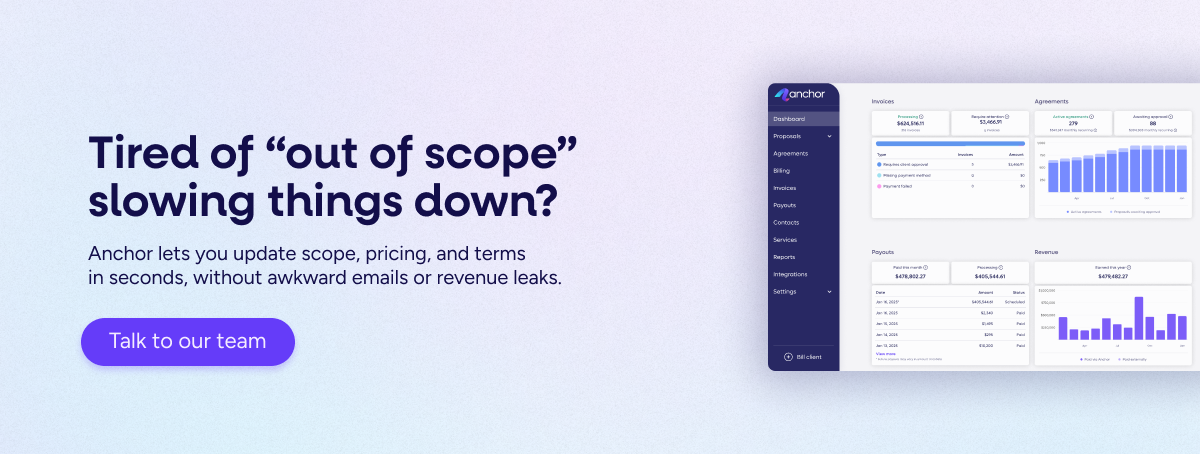
This is where Anchor can play a key role. It’s built to connect agreement terms to what happens next, so terms don’t just sit in a PDF. They drive the billing schedule, invoicing, payment, and reconciliation in a connected flow. That’s what removes most of the chasing, because payments run from the agreed terms rather than relying on reminders and memory.
How to roll this out without creating a partner debate
A terms library doesn’t fail because the idea is bad. It fails because it becomes a values discussion rather than an operational decision. Partners start debating what’s “fair,” edge cases take over the meeting, and the team walks away with a longer document that nobody actually uses.
So set the ground rules upfront: you’re not trying to write the perfect contract. You’re trying to standardize the few terms that make billing predictable and reduce exceptions. If a term creates manual work, it’s a candidate for the library. If an option creates ongoing exceptions, it doesn’t belong.
With that in mind, here’s a rollout that stays practical and keeps momentum.
- Start with one service line. Pick your most common recurring package. Build the first version for that. If it works there, expand.
- Use real client examples, not hypotheticals. Bring five recent engagements to the table. Ask where billing drifted, where exceptions showed up, and which term would’ve prevented it. This keeps the work honest.
- Decide what you’ll enforce. Don’t write terms you won’t apply. If you’re not willing to pause work when payment fails, don’t pretend you will. Write the version you can actually execute.
- Reduce options until the team can run it smoothly. Every extra option has an operational cost. If you can’t describe how it gets invoiced and paid in one sentence, it’s not an option. It’s a future mess.
- Put the library where work starts. If your terms library lives in a folder, it’ll get ignored. It should be accessible in the same workflow where proposals and agreements are created.
Once you’ve got a workable first version, the next step is avoiding the traps that make teams abandon it after a week.
The mistakes that keep firms stuck
Even with a solid draft of a terms library, a few predictable mistakes can keep it from ever being used.
These are the patterns that keep it from becoming a working system.
Overbuilding the document.
A long list of clauses doesn’t create predictability. Clear triggers and schedules do. If you’ve got pages of language but no simple answer to “when does billing start” and “what’s the schedule,” you’ve built a document, not a system. Keep the library focused on the terms that drive execution, not every edge case your attorney can imagine.
Treating exceptions as “client service.”
Exceptions often feel kind in the moment and costly forever. The first exception is rarely the problem. It’s the fact that exceptions spread. One partner approves Net 45 “just this once,” another agrees to manual invoice approval, and suddenly your team’s managing a patchwork of special rules that nobody can remember. Real client service is predictability. Clients don’t love surprises, and neither does your team.
Updating terms without updating billing.
This is the most common failure mode: the agreement gets cleaned up, but the billing behavior stays the same. That’s how you end up with “correct agreements” and “incorrect invoices.” If a term changes, the schedule has to change with it. Otherwise, you’re just moving risk from the contract into operations.
Waiting for the perfect time.
There isn’t one. Busy season, summer, year-end, staff transitions, partner travel. There will always be a reason to wait. The right move is to pick a small group of clients, test the library, and tighten it based on what actually breaks. Iteration beats delay every time.
If you want less billing-related stress, don’t rely on willpower; instead, follow up more consistently. Build terms that run the same way every time, even when the firm’s busy.
If you want a terms library that actually runs end-to-end, not just a cleaner PDF, book a quick call with an Anchor advisor. We’ll show you how firms connect agreement terms to billing schedules, automated invoicing, payments, and reconciliation, so cash flow becomes more predictable without awkward follow-up.