


If you’re heading into 1099 season right now, you already know the drill. The biggest hassle isn’t the form. It’s the variable scope, the last-minute details, and the billing that lags behind the work.
One year, a client might have five contractors to issue 1099s for. The next year it’s ten. Sometimes it’s “just a couple more” that don’t feel worth invoicing, until you add up how often that happens across your book. That’s how revenue leaks, and how a predictable service turns into a pile of unbilled time and slow-to-collect AR.
Anchor is built for exactly this kind of work. It helps you bill for 1099 services in a way that’s clear to the client, flexible for you, and structured so you get paid without having to chase. And when reporting requirements apply, Anchor also handles 1099-K filing for gross payments processed through the platform.
Want to take care of 1099s this year and make next year easier too? Below, you’ll find everything you need to keep these common forms from turning into more tax season back-and-forth.
Key takeaways
- Chasing scope is the real cost: 1099 work changes from client to client and year to year, and that variability is where billing breaks down.
- Pre-approval prevents awkward follow-up: A client-approved cap lets you bill variable overages within an agreed range, so you’re not reopening scope conversations in late January.
- Scattered payment data slows everything down: The more platforms and processors involved, the harder it is to reconcile totals quickly and answer “where did this number come from?”
- Anchor keeps billing compliant and automatic: You can price 1099 work as recurring with variable pricing, set a client-approved cap, and collect without follow-up.
Why 1099 work is hard to bill
1099 season is part of what you do for clients, but it’s rarely a fixed amount of work. Every client has different vendors and contractors, different volumes, and different levels of “we’ll get it to you later” when it comes to tax details.
That variability creates a billing problem. You deliver the work, then you invoice, then the client pays. But for many firms, there’s no clean automation for it, especially when the amount isn’t consistent from year to year. It’s easy for invoices to get delayed, questioned, or quietly skipped because the overage feels too small to bother with.
It isn’t necessarily complicated, but it’s slow, and it stacks up quickly across a full client list.
The two common pricing models and where they break
Most firms handle 1099 pricing in one of two ways.
Some bake it into a monthly subscription with a cap, such as “up to 10 1099s.” That works until the client has 11, 13, or 22. Now you’re back in the same spot: you need to bill against the variable amount, and the billing becomes a one-off decision in the middle of busy season.
Others bill per form, which is fair but often leads to lingering AR. You invoice after the work is done, and then you wait. Or the overage is small enough to be waived, which is money left on the table.
The real issue isn’t whether your pricing is right. It’s whether your billing and collection is structured to match the way the work actually shows up.
How Anchor lets you bill for 1099s compliantly (and get paid)
Anchor gives you a way to set up 1099 work so it’s clear, flexible, and easy to collect.
You can structure it as a recurring service that includes a cap, and then add a variable service for anything beyond that cap. For example, you might include “1099s (up to 10)” in the client’s monthly package, and add “Additional 1099s: $15 each” as a variable line item.
The unique part is the pre-approved cap. If your client typically has around ten 1099s, you can set a cap of 15 that they approve up front. Then, if you need to bill 13, it’s within the cap, so the invoice can be issued and paid automatically, without a new approval loop. If you need to bill above the pre-approved amount, the client gets a simple prompt to approve the difference. They click once, and you’re done.
That keeps the process compliant and straightforward. The client knows the pricing, the cap, and what triggers a change. You get paid when the work is delivered, not weeks later.
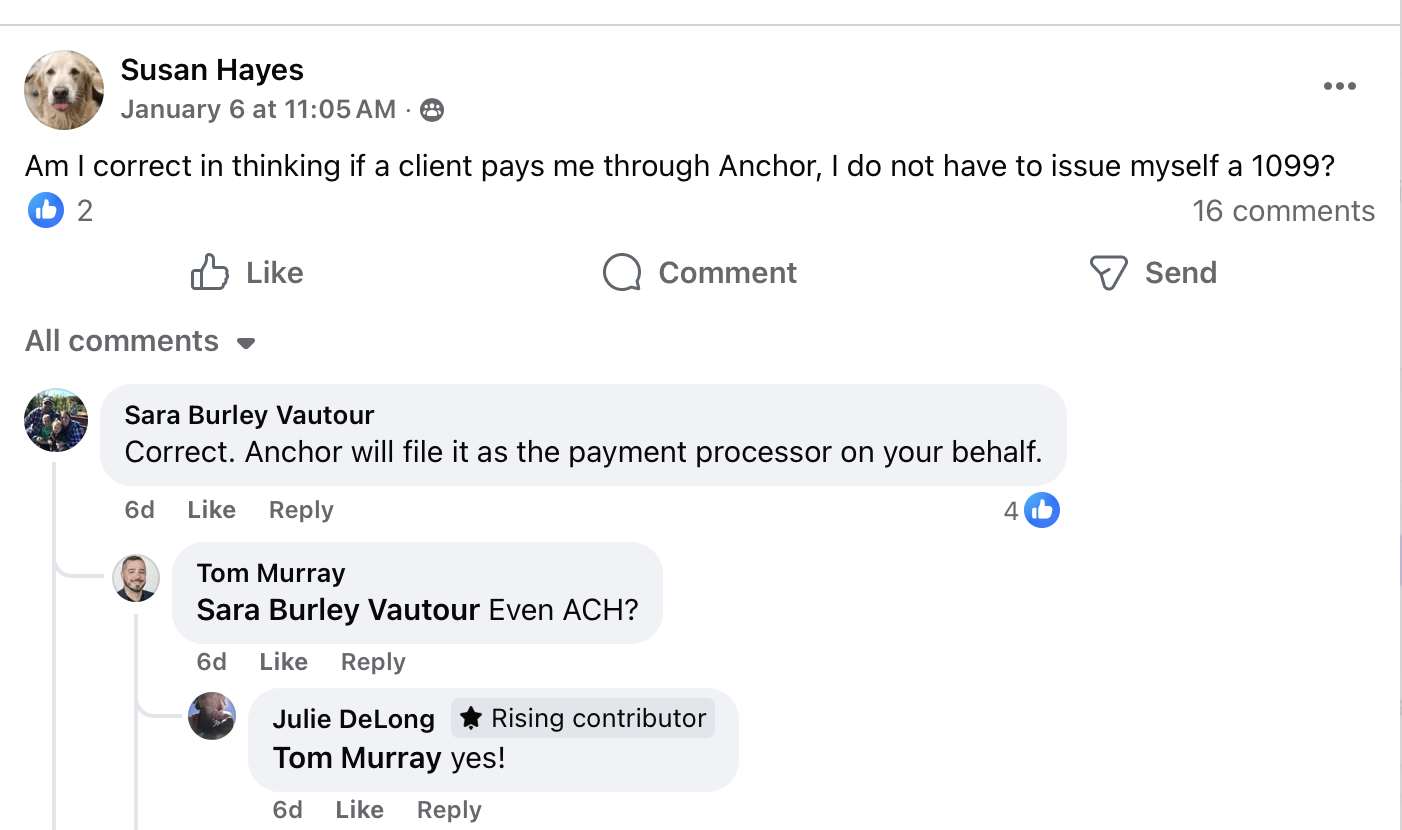
And as noted above, when reporting requirements apply to gross payments processed through Anchor, Anchor also handles 1099-K filing and delivery for those payments. It’s one less form to track down from a separate processor, and one less workflow to manage when time is tight.
What customers are saying
Most firms don’t struggle with 1099s themselves. They struggle with the loose ends: unexpected overages, admin threads, and payments that land late because billing slipped behind the work.
That’s why the reactions tend to sound the same when firms experience a “no chasing” workflow in the middle of tax season. The relief is simple: less back-and-forth, fewer surprises, and fewer things that get stuck.
Others are pleased to see how much time (and work) it saves them.
Overall, most customers are simply happy to have one less headache to deal with as tax season starts coming into full view.
If you want that same “one less thing” feeling during busy season, the next section shows a setup you can copy and repeat.
A simple way to run 1099 billing without extra admin
The goal isn’t a clever pricing model. It’s a workflow that bills the right amount and collects it without creating a new busy-season thread.
Start by defining what’s included in the recurring service and what counts as an overage. Then set a pre-approved cap that covers the normal swing. That cap prevents you from having to ask for approval for every small difference, while still keeping the client in control.
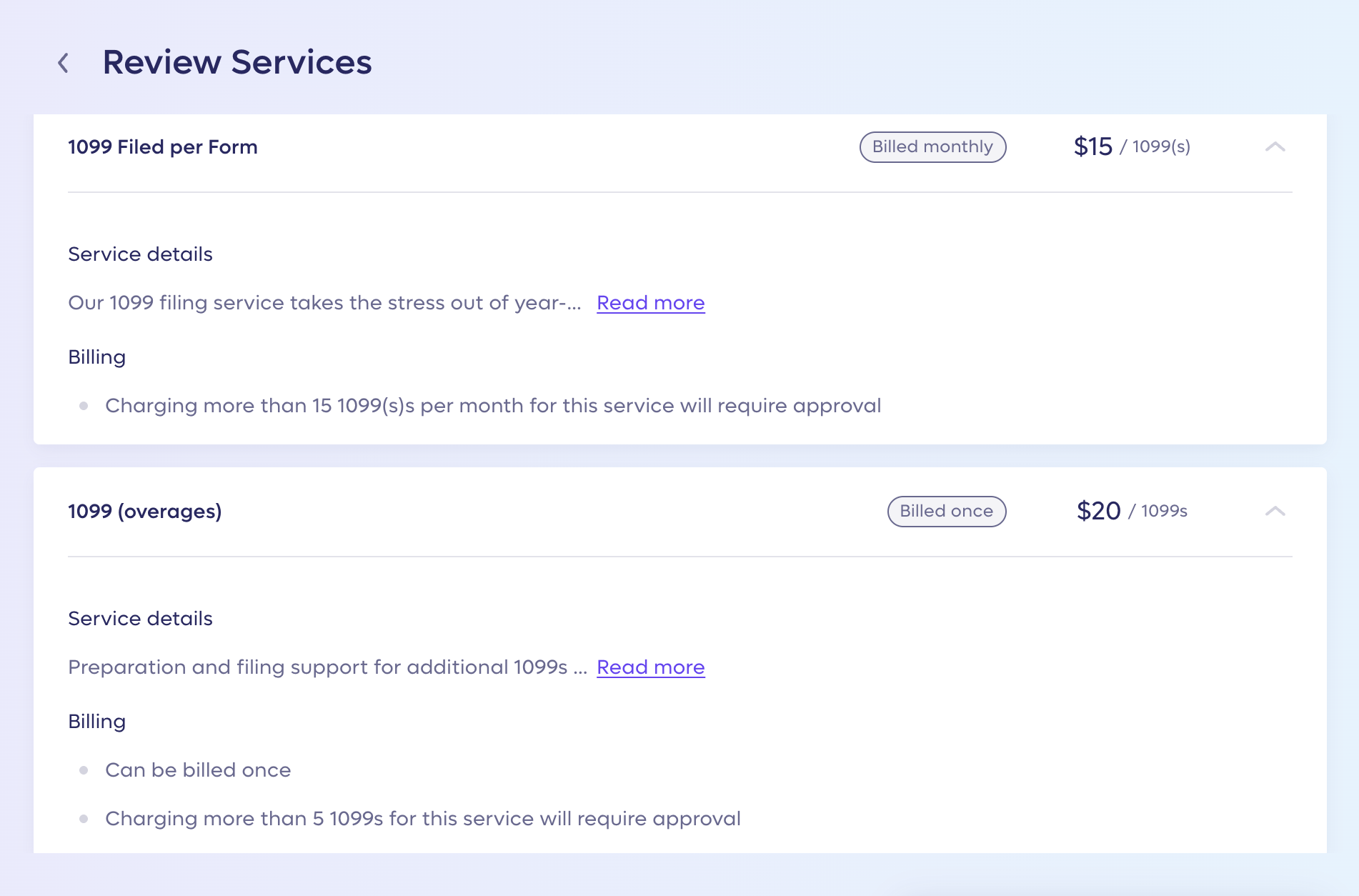
Using Anchor, once the client approves that cap, anything inside the approved range can be invoiced and collected automatically.
When the final count lands above the approved cap, the system doesn’t guess. It prompts the client to approve the additional amount, so you stay clean on documentation, and you stay paid. The point is simple: no one is debating scope in late January, and you’re not carrying AR for work that was already delivered.
1099-K through Anchor: What to expect
If you’re getting paid through Anchor, a 1099-K is one less moving part to manage when reporting requirements apply. Anchor handles the 1099-K workflow for gross payments processed through the platform, including filing with the IRS and relevant state tax authorities and delivering the form to the customer.
Not every service provider will receive a 1099-K. The form is issued only when payments reach the reporting thresholds (federal or state). Under current federal guidance for 2025, a 1099-K is generally required when gross payments exceed $20,000, and there are more than 200 transactions, though some states or platforms may issue forms at lower levels.
If you want the process to stay smooth, the main action item is simple: confirm the tax details Anchor will use. In Anchor, review and confirm your tax information (name, address, and SSN or EIN) in the Tax information section under Settings > Business details. If you need help updating anything, reach out to support at [email protected].
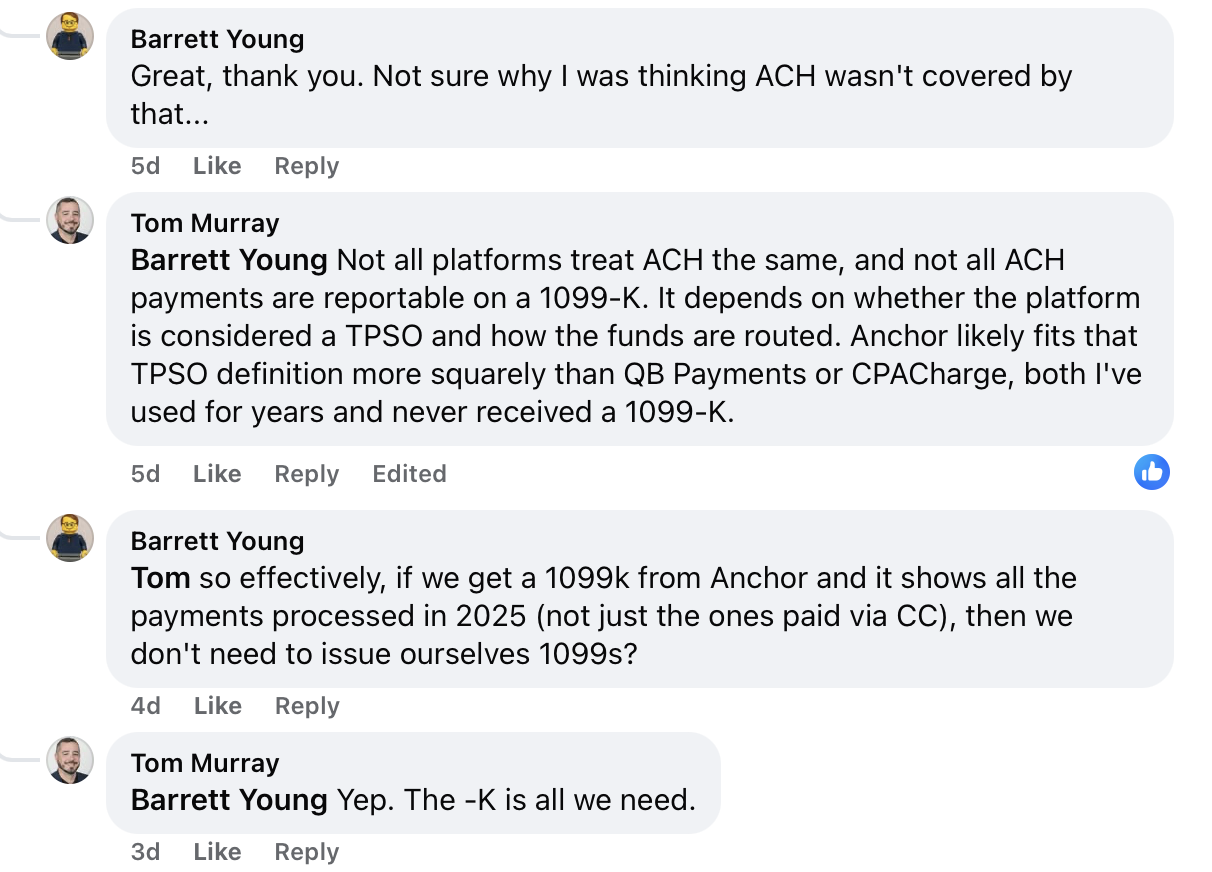
For what shows up on the form, both ACH and credit card payments processed through Anchor are reported on Form 1099-K. Refunds, disputes, and payments marked as paid or processed outside of Anchor are not included. If the amount looks off, cross-reference it against the invoices report.
Want to get the rest of your 1099s in order, too?
Even if Anchor takes 1099-K off your list for payments processed through the platform when reporting requirements apply, most firms still need a clean approach for the rest.
If payee details are clean and you know where each payment total is coming from, filing stays straightforward. If they’re not, everything slows down.
When 1099 info gets collected (and why it slips)
Most teams aim to collect tax information early, usually at onboarding, when a vendor first gets set up, or before the first meaningful payment is sent. That’s the moment when it’s easiest to get a W-9 completed and avoid tax ID issues later.
But “easy” depends on the process. If onboarding is happening through email threads, unnecessary intake forms, or an incomplete vendor setup process, tax details become optional by accident. Then January hits, and the work flips from collecting to correcting.
Corrections take longer because you’re not just asking for a form. You’re tracking down why the name doesn’t match, why the address is outdated, whether the entity type changed, and whether the client’s system reflects the same thing the payer or processor will report.
None of that is hard on its own. It’s just slow, and it stacks up quickly.
Keep It boring: Filing without reinventing the wheel
Most 1099 headaches don’t come from the rules. They come from missing inputs and scattered records.
Start with payee details. If the legal name, address, and TIN aren’t correct, you’ll end up backtracking later with corrections and rework. Then confirm you know where the payment totals are coming from. This is where teams lose time, because the same client might have payment activity split across the books, bank feeds, and processor or platform portals.
From there, assume two things are true every year. First, deadlines don’t wait for clean data. Second, corrections happen. If you plan for both, filing stays boring. If you don’t, the cleanup becomes the work.
Key deadlines
- Recipient Copies (Most 1099s): Due to recipients by January 31, 2026 (or the next business day if it lands on a weekend/holiday).
- Recipient Copies (A few common exceptions): Forms 1099-B, 1099-DA, 1099-S, and 1099-MISC when amounts are reported in boxes 8 or 10 are due February 17, 2026 (or the next business day).
- IRS Filing For Form 1099-NEC: Due to the IRS by January 31, 2026 (or the next business day), whether you file on paper or electronically. IRS Filing For Most Other 1099s (Including 1099-MISC and 1099-K): If filing on paper, due February 28, 2026 (or the next business day). If filing electronically, due March 31, 2026.
- Extension To File With The IRS: You can request an automatic 30-day extension using Form 8809, but 1099-NEC only allows one 30-day extension.
Note: Deadlines vary by form and situation, so it’s worth confirming based on the specific forms you’re filing for your client. State filing requirements and due dates can differ, too, so confirm the state rules that apply.
Fewer loose ends, less AR, cleaner 1099 season
The firms that handle 1099s best aren’t privy to any exclusive secrets. They just have fewer loose ends, they keep payee details tight, and they reduce the number of systems that can surprise them during peak season.
Anchor helps on both sides of the problem. It lets you bill and collect for variable 1099 work without creating AR, and when reporting requirements apply, it takes 1099-K filing off your list for payments processed through the platform.
Want to see what a “no chasing” billing and payments workflow looks like end-to-end? Visit sayanchor.com.